Marble Review 2026: Is This AI Game and Water Lab Worth It?
Quick Summary
Marble is a free beta AI learning game for ages 6–12 on iPad, iPhone, and Mac (iOS 26+). We tested the free browser Water Lab, not the iPad app.
Tags
Some product links may earn us small commissions at no extra cost to you. These relationships never influence our reviews or recommendations.
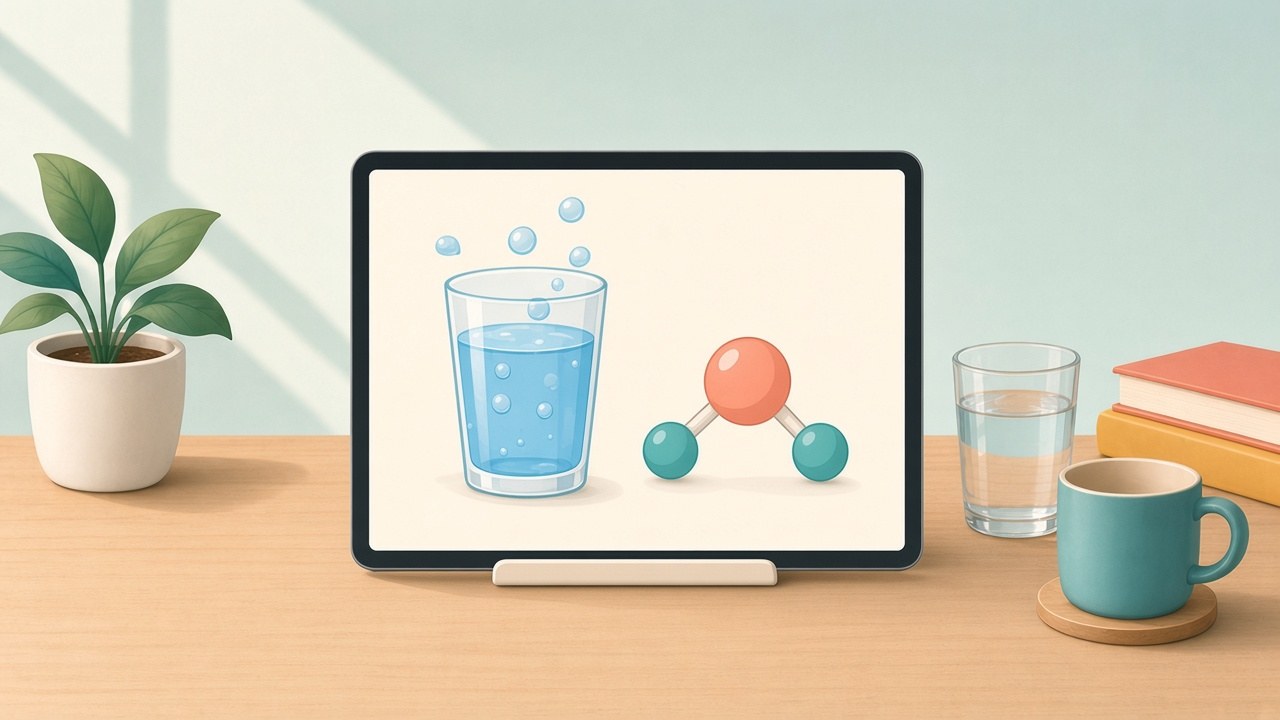
The picture above is a KidEdTools illustration, dated Oct 18, 2026, of a water experiment on a tablet. It is not a Marble screenshot or logo.
Marble at a glance
Reread this box after the next release. Figures here are as of Oct 18, 2026.
| Item | Detail |
|---|---|
| What it is | Marble: Stay Curious, plus free browser labs. |
| Who it’s for | Ages 6–12 on the site. Kids band 6–8. |
| Price | Free in beta. FAQ: pricing is on the way. |
| Devices | iPad, iPhone, Mac on OS 26. Labs: browser. |
| Tested | Water Lab, both screen sizes. App not installed. |
| Verdict | 4.0 / 5, provisional. Web experiments only. |
We’ll update this review after Marble’s next release (we’re checking again around Oct 23–25, 2026).
How we scored this
What Marble is
Marble is the website name. The App Store name is Marble: Stay Curious. Generative Spark, Inc. is the seller, and the site footer carries that company’s 2026 copyright. KidEdTools has no relationship with Marble. This review is not sponsored, and we have no affiliate link for it.
On Oct 16, 2026, founder Lionel Mora posted about Marble on X. His bio links to withmarble.com. X metrics read on Oct 18, 2026 showed 270,119 impressions and 7,608 bookmarks. Those are X’s counts for that post, not a user total for the app.
App details in this review come from Marble’s pages and the App Store listing fetched that morning, including the FAQ. They are not notes from an app session. The device rules, age lines, version notes, and named AI services are collected in the app section below.
The app is a private beta. On Oct 18, 2026 the site’s capacity line was “a few hundred families per day” in one place and “a few hundred spots” in another. Price wording was free on the App Store, “free while we’re in beta” on the site, and “Pricing is on the way” in the FAQ.
What we tested on October 18, 2026
We used a desktop browser at 1366×850 and a phone-sized browser at 390×844. We played the Water Lab, loaded the Ecosystem Simulator, and opened the curriculum map. All three are public. None asked for an account.
We did not test the iPad, iPhone, or Mac app. It requires iOS or iPadOS 26 and a private-beta spot. Quests, voice, drawing, accounts, recording, and the parent time limit are attributed to Marble or the App Store. There was no family trial, no child quote, and no timed child session in this review.
The Ecosystem Simulator page showed nine species and, on our load, 373 creatures (the count changes between loads), a balance meter, and a goal of lasting 100 days. Tools cover inspect, add, remove, move, and tune, plus a control that knocks the balance off and a field guide. Speed runs from 0.1× to 4×. No account. Like the Water Lab, it is a separate browser toy.
The Water Lab, hands-on
The lab is free in a current browser: no download, no login. The scene is a WebGL glass of water. The illustration at the top stands in for that idea; it is not the lab’s real layout.
The slider runs from −30°C to 130°C, with Fahrenheit as the lead label and Celsius beside it. Presets step through freezer, ice, a cold drink, room temperature, body temperature, hot cocoa, boiling, and steam. A toggle swaps a glass view for an atoms view, where a molecule model draws hydrogen bonds. A sound control is present. We left it untested.
States we set on Oct 18, 2026:
- Freezer: 0°F / −18°C, deep-frozen ice with frost.
- Ice: 23°F / −5°C. The note covers why ice floats and mentions a thin liquid film on the surface.
- Room: 70°F, liquid. The note is about particles colliding, and some leaving the liquid.
- Hot cocoa: 149°F / 65°C.
- Boiling: 212°F / 100°C, with bubbles.
- Steam: 248°F / 120°C. The note says real steam is invisible. The ice note gives empty space in the solid structure as the reason ice floats. Both lines here are paraphrases.
The short quiz behind two locked buttons
Two presets stay locked until a three-question quiz: the freezing point, what molecules are doing in steam, and why ice floats. A wrong answer gets a short nudge to look at the water and try again. A pass unlocks liquid nitrogen at −196°C and a control that melts the glass at 1600°C. Both sit outside the main slider.
Age fit
Pictures and presets work for a 7-year-old. The explanations are dense: long sentences, and words such as collisions, evaporation, and hydrogen bond. Most 7-year-olds need an adult reading along. Labels are Fahrenheit first. Celsius is on screen, in the smaller spot.
On a phone the long explanations hide, and a short state label remains. The glass and presets still show at 390 pixels wide. Read the notes on a laptop or a wide window.
One concept, about 10 to 20 minutes. Nothing is saved. No parent view, no teacher view, no account. The lab is not part of the app. Close the tab and the session is gone.
Try this at home
Stay with cold water. An adult handles anything hot. No boiling water and no open flame for kids.
- Put one ice cube in a glass of water at room temperature and watch it. That is the melt between the ice preset and the room preset.
- Chill a dry glass. Have your child breathe on the outside. The fog is breath-water turning liquid on the cold surface.
- Float a frozen sealed water bottle and a liquid one in a sink of cool water. The frozen bottle sits higher. That is the floating-ice idea, with your own bottles.
Liquid nitrogen and melting glass stay on the screen.
The open curriculum map
On Jul 8, 2026, Marble published the Marble Skill Taxonomy (v1) at github.com/withmarbleapp/os-taxonomy. The citation file uses that date, and GitHub showed no pushes after it. On the morning of Oct 18, 2026, the repo had 5,573 stars and 944 forks.
Counts in the release: 1,590 micro-topics, 3,221 prerequisite links, 8 subjects. Science has 547 topics, mathematics 503, English 286. The smaller groups are history (90), personal and social development (88), life skills (37), computing (21), and learning to learn (18). The citation names Guillaume Boniface-Chang and Generative Spark, Inc. (Marble).
A prerequisite link marks one idea as earlier than another. In our own example, a note on why ice floats assumes solid, liquid, and evaporation are already in place. Marble’s curriculum page says AI assembled the graph from seven frameworks and the team then reviewed it. Some topics are stored twice, split by age. Topic titles and the dataset’s own explanations are not copied here.
The viewer is a 3D graph at withmarble.com/curriculum. In an Oct 17, 2026 reply, Lionel Mora said the graph “isn’t mobile friendly” and that Marble sees better engagement on tablets and laptops. Use a computer.
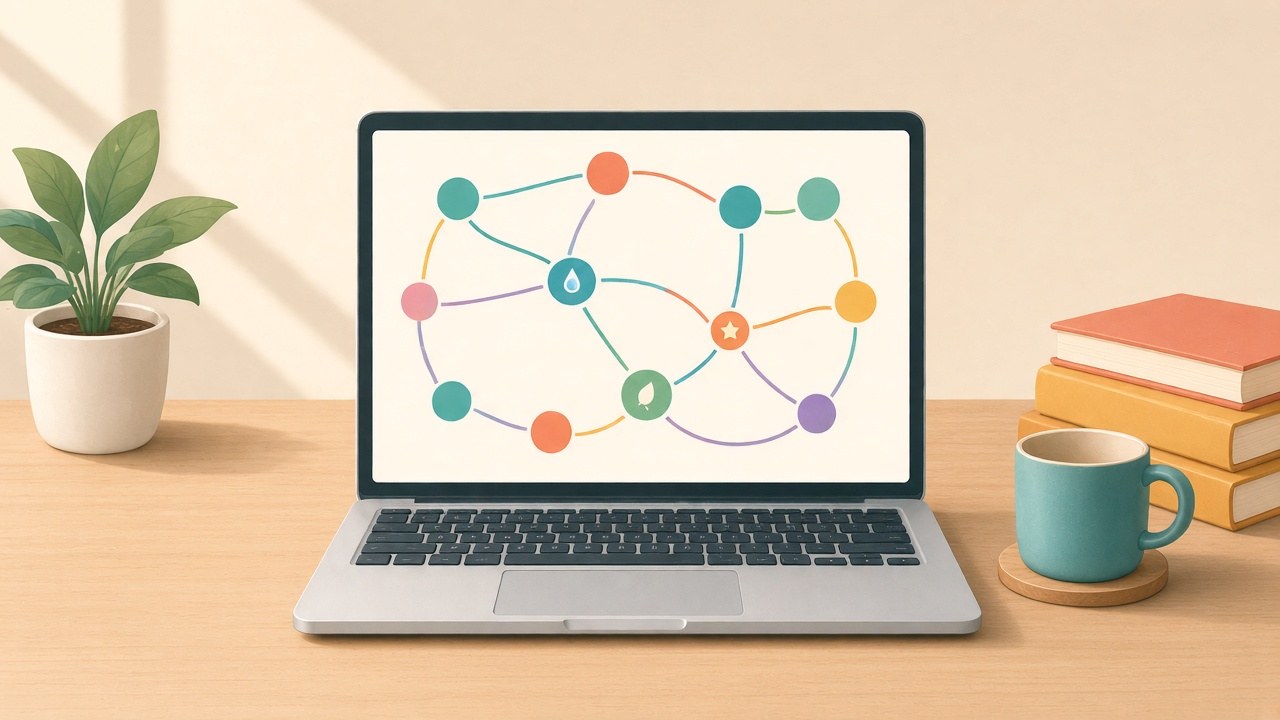
Marble Skill Taxonomy (v1) · © Generative Spark, Inc. (Marble) · https://withmarble.com · licensed under ODbL 1.0 (database) and CC BY-SA 4.0 (content).
ODbL 1.0 covers the database. CC BY-SA 4.0 covers Marble-authored text. Standards in the set keep their upstream licenses.
The app, according to Marble and the App Store
This section is only Marble’s site and the US App Store listing fetched on Oct 18, 2026. We did not install Marble: Stay Curious. Update this section when the listing changes.
Ages. The site and FAQ say 6–12, about US grades K–5 and UK Years 1–6. The App Store rating is 4+. The Kids category says Made for Ages 6–8. A 10-year-old is inside the site’s range and outside that Kids band.
Devices and size. iPad, iPhone, and Mac. iOS or iPadOS 26.0 or later. Macs need macOS 26.0 or later and an M1 chip or newer. The listing says “Designed for iPad. Not verified for macOS.” Size shown: 823.4 MB. English only. No Android, Chromebook, or Windows app appears in these materials.
Price and access. Free on the App Store, free during beta on the site, and “Pricing is on the way” in the FAQ. Private beta, with the “few hundred” wording in the section above.
Ratings. 4 ratings, average 5.0, on the App Store page fetched Oct 18, 2026. Four ratings is a small sample.
Version notes. 1.0.4 on Oct 2, 2026: crafting furniture, lamps, and pools. 1.0.5 on Oct 10: clothes design. 1.0.7, about Oct 16: a parent-set daily time limit.
AI stack, from the FAQ. Claude Haiku (Anthropic) as the main model, Speechmatics for speech-to-text, ElevenLabs for voices, fal.ai for drawing, Google Cloud Vision to screen images.
Quests, from the FAQ. UK National Curriculum and US science and social-emotional learning frameworks. Focus: science, design and making, creativity. Not math drills, not reading drills, and not homework help yet.
Safety and privacy
These are Marble’s claims, from its FAQ, privacy policy, and App Store description, as of Oct 18, 2026. Only a parent can create an account. The App Store description and the privacy policy say it is COPPA compliant. It says there are no ads and no feed. It says the app does not record by default. It describes multiple independent safety filters, a daily human review of sessions, and benchmarks that include Korabench. KidEdTools has not verified any of that. We had no app account.
The App Store privacy label fetched the same day is separate, and Apple marks it “Not verified by Apple.” Data linked to the user includes contact info (email, name), user content (audio data, gameplay content, photos or videos), identifiers, usage data, and diagnostics. Email is listed under the developer’s advertising or marketing.
The Water Lab, Ecosystem Simulator, and curriculum map opened with no account and saved nothing we could find. The beta app, per the FAQ, is a parent-created account with speech-to-text and voices in the stack.
Read Marble’s privacy policy before joining the beta. Nothing here is a certification.
Strengths
- The Water Lab is free, needs no account, and stays on one clear idea: heat, the states of water, why ice floats, and why steam is invisible.
- Presets are usable at 7. A wrong quiz answer sends the child back to the glass.
- The phone layout still runs. Wider screens are better for the sentences.
- The skill map is public: 1,590 topics, 3,221 links, a Jul 8, 2026 release, and 5,573 GitHub stars as of Oct 18, 2026.
- The web pages end. One topic, a short visit, no feed on the pages we opened.
- Marble’s FAQ points the app at science, making, and creativity.
Limitations
- Private beta. On Oct 18, 2026 the site’s “few hundred” line did not use one stable phrase.
- Apple OS 26 only, M1 or later for Mac. No Android, Chromebook, or Windows build in the materials we checked.
- FAQ focus is science, design, and creativity: not math or reading drills, and not homework help yet.
- Price after beta is unknown.
- Four App Store ratings, as of Oct 18, 2026.
- The web labs do not log a child into the app or save progress.
- The 3D curriculum viewer is a weak phone page. Mora said so in an Oct 17, 2026 reply, linked in the curriculum section.
- Voice, quests, and the time limit are vendor statements until we test the app.
How Marble compares
Scratch is free and creation-first. Our review updated May 12, 2026 describes browser block-coding for ages about 8–16, with an account only to save or share.
Khan Academy Kids is free structured early learning. Our review updated May 12, 2026 lists ages 2–8 on iOS, Android, Amazon, and the web, covering reading, math, and more, and starting without a subscription.
Khanmigo is the homework AI comparison: $4 a month or $44 a year in our review updated Oct 16, 2026. Marble’s FAQ still marks homework help as not available yet.
| Marble | Scratch | Khan Kids | |
|---|---|---|---|
| Price | Free beta | Free | Free |
| Ages | 6–12; store 6–8 | About 8–16 | 2–8 |
| Devices | OS 26 or browser | Browser | iOS, Android, web |
| Focus | Science, making | Projects | Early lessons |
| How kids use it | Voice, drawing (per Marble) | Block coding | Adaptive lessons |
| Account | Parent on the app | To save | None to start |
Scratch and Khan Academy Kids: KidEdTools reviews updated May 12, 2026. Marble: Marble and the App Store, Oct 18, 2026, plus the labs we opened that day. Khanmigo’s price: our review updated Oct 16, 2026.
The Marble Index
Marble also runs Marble Index, launched Oct 8, 2026 according to a post from @withmarbleapp. The page scores a kids’ title out of 100, five criteria at 20 points each, on grid version 0.6 for the US market. It says the scores are currently preliminary, that an AI applies the grid, and that product checks and expert verification come next. That is the page’s own account, as of Oct 18, 2026.
What’s coming
On Oct 17, 2026, Lionel Mora replied that Marble is “working on a big release that will be free and collaborative.” On Oct 18 he added that something would be shared “this week.” We have not tested it, and this review does not treat it as shipped.
We’ll update this review after Marble’s next release (we’re checking again around Oct 23–25, 2026).
Verdict
Open the Water Lab today with a curious 6- to 9-year-old. It is free, it takes about 15 minutes, and a parent can read the notes aloud. Use the three cold-water activities. Leave the stove off.
Join the app beta if you have an iPad on iPadOS 26, you want open-ended science and making, and you have read Marble’s COPPA and “does not record by default” claims next to the App Store privacy label. Expect a private beta, an English-only 823.4 MB download, unpublished pricing after beta, and an average built on four ratings (App Store, Oct 18, 2026).
Wait if you need Android, math or reading practice, homework help, or a published price and a larger rating sample before a child has an account. Scratch and Khan Academy Kids run on more devices. Khanmigo is the homework comparison above.
4.0 is provisional, for the web experiments only, until the app is tested.
The update will also go through the KidEdTools newsletter.
Frequently Asked Questions
Is Marble free?
As of Oct 18, 2026, Marble is free on the App Store, and the site says the app is free while it is in beta. Marble’s FAQ says pricing is on the way. The Water Lab, Ecosystem Simulator, and curriculum map opened in a browser with no account and no download. No paid tier was published for us to test.
What ages is Marble for?
Marble’s site says ages 6–12, roughly US grades K–5 or UK Years 1–6. The App Store lists the app as rated 4+ and places it in a Kids category labeled Made for Ages 6–8 (App Store page fetched Oct 18, 2026). Those two age lines do not match. On the web Water Lab, the pictures and presets are a fit for a 7-year-old, and the written explanations are dense enough that most 7-year-olds will need an adult reading along.
What devices does Marble run on?
Marble and the App Store say iPad, iPhone, and Mac. The app requires iOS or iPadOS 26.0 or later. A Mac needs macOS 26.0 or later and an Apple M1 chip or newer. The App Store lists the download at 823.4 MB, English only, and says Designed for iPad, not verified for macOS (Oct 18, 2026). We did not install the app. The Water Lab and Ecosystem Simulator loaded in a desktop browser and in a phone-sized browser. The materials we checked do not list Android, Chromebook, or Windows.
Is Marble safe, and is it COPPA compliant?
Marble’s FAQ says only a parent can create an account, and that there are no ads and no feed. The App Store description and the privacy policy say the product is COPPA compliant. Marble also says sessions pass through safety filters, a daily human review, and benchmarks that include Korabench. Those are Marble’s claims. KidEdTools has not verified them. The App Store privacy label, marked not verified by Apple, says data linked to the user includes email, name, audio data, gameplay content, photos or videos, identifiers, usage data, and diagnostics, and that email is used for the developer’s advertising or marketing (App Store, Oct 18, 2026). Read Marble’s privacy policy before anyone joins the beta.
Does Marble record my child?
Marble says it does not record by default. That is the company’s claim, and we did not test the iPad app, so we did not watch what a session stores. The App Store privacy label, as of Oct 18, 2026, lists audio data, gameplay content, and photos or videos among data linked to the user. Read the privacy policy, and ask what the default leaves on, before a child uses the voice features.
Can my 7-year-old use the Water Lab alone?
The visuals and the preset buttons are a fit for a 7-year-old. The explanations use long sentences and words such as collisions, evaporation, and hydrogen bond, so plan to read along. On a phone, the longer explanations are hidden and a short state label is what remains on screen. No account is required, and nothing is saved. It is one concept, about 10 to 20 minutes of exploring. Keep the kitchen follow-ups cold: an adult handles anything hot, and there is no boiling water or open flame in the activities we suggest.
What Parents Are Saying
Real experiences from parents who've used this tool with their children
Loading parent reviews...
No reviews yet
Be the first parent to share your experience with this educational tool!
Get Our Monthly Picks
Discover the best new educational tools for your kids. No spam, unsubscribe anytime.
Related Reviews
Browse All Reviews
Discover more educational tools